


Canopy - AI Online Safety App
4.0482.00 Reviews
App Specs
- Version
- 2.2.20
- Updated On
- License
- Free
- Downloads
- 100,000+
- Developer
- Canopy-app
- Categories
- Lifestyle
- Platform
- Android, iOS
Screenshots

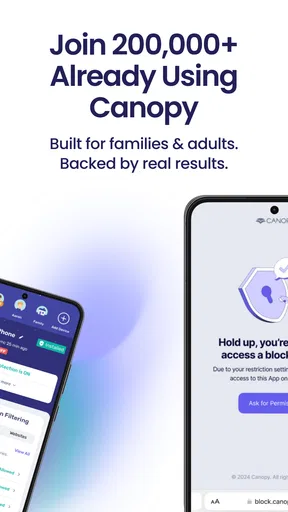
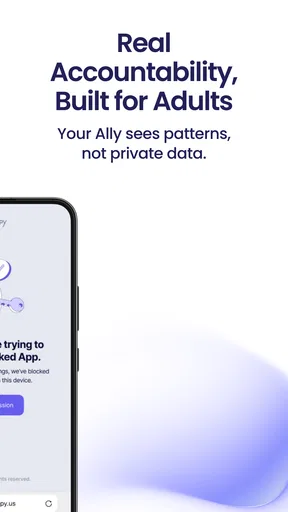

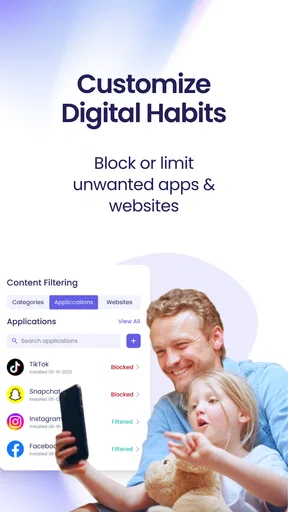
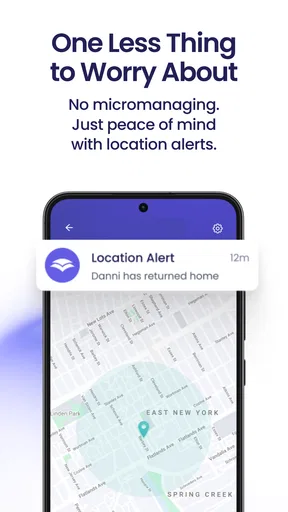
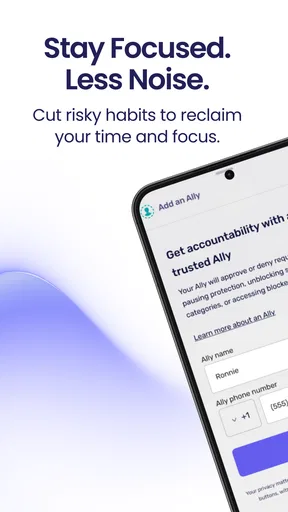
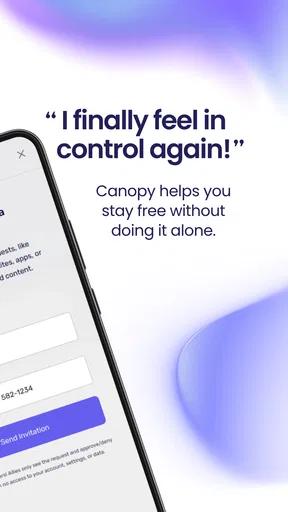
 Analysis by AppCompare
I find Canopy most useful when online safety needs to be managed across more than one person or device, rather than handled through a single browser setting. It brings content filtering, screen-time management and accountability into one family-oriented service, so the aim is not only to block unwanted material but also to make device habits easier to discuss. That combination can be helpful, but it works best when the people using it understand the rules and the adults setting them are willing to review them.
How connectivity shapes the experience
Because Canopy’s tools involve online content and connected devices, the experience naturally depends on the network at important moments. A filter is most useful when a device is browsing, and account-level controls are most practical when the people managing them can reach the service. I’d treat it as one layer in a household’s safety plan, not as a guarantee that every online situation will be handled perfectly.
That distinction matters during ordinary interruptions. If a child is moving between home Wi-Fi and mobile data, or a connection becomes unreliable, it is sensible to check that the family’s agreed rules still make sense rather than assume every setting will behave identically in every network situation. I would also keep basic conversations about safe browsing in place; a technical barrier cannot replace judgment or help a young person understand why a boundary exists.
Where it fits into everyday mobile life
For a parent, the practical appeal is having several kinds of oversight gathered in one place instead of relying only on a phone’s built-in screen-time controls and a separate content filter. Those built-in tools may be enough for a household that only wants a simple bedtime limit. Canopy is more relevant when filtering, accountability and time boundaries all matter, though the added scope also means more decisions to make.
A realistic use would be setting expectations before a child takes a tablet to a friend’s home: agree on when it can be used, explain what the filtering is meant to do, and make sure the adult responsible knows how to review the account. That approach is more constructive than introducing restrictions only after a problem appears. It also reduces the risk that a child sees the app as a mysterious punishment rather than a shared safety measure.
I would be more cautious about using this kind of system for an adult who simply wants to reduce distractions. Canopy’s family-safety orientation may be broader than that person needs. A built-in focus mode or a basic screen-time tool could be simpler if the only goal is to put the phone away during work or at night.
Recovery, boundaries and trust
Any household control system can create friction: a legitimate page may be blocked, a limit may feel too strict, or a family member may not understand why access changed. My practical advice is to make a plan for those moments before they happen. Decide who can adjust a rule, how a child can ask for a review, and when the settings will be revisited. That turns an unexpected restriction into a manageable conversation.
Worth Reading Before You Choose

EA SPORTS FC Mobile 26 Is a Bigger Football Game, but It Takes Time

Flipboard Shows What News Apps Must Do Beyond the Feed

Switching to Android Auto Means Rethinking Your Driving Routine

Google Calendar Makes a Crowded Week Easier to Manage

Ludo King Makes the Most of the Minutes Between Plans

Baby Panda World Brings Quick Play to Modern Phones, but Its Game Library Feels Busy
I would not make the app the sole authority on what is appropriate. Filters can make mistakes, while online content and family needs are not static. A parent should be prepared to check a concern and refine the household rules instead of assuming the software’s decision is always right. This is especially important as children get older and need more independence.
Using it thoughtfully with data in mind
Activity reporting can support a useful conversation, but more visibility is not automatically better. I’d decide in advance what information the adults actually need and explain that choice to the children using the devices. Reviewing patterns together can be less confrontational than treating every report as evidence of wrongdoing. For older teens, a clear explanation of what is monitored and why is part of using accountability tools responsibly.
Canopy is free to download, with in-app purchases ranging from $7.99 to $119.99 per item. I’d check the purchase options carefully against the number of people and devices in the household before committing, since a broad feature set is only worthwhile if it matches what the family will actually use. The app is rated for Everyone, but that rating does not mean every setting is automatically suitable for every age; adults still need to choose boundaries that fit their household.
Who will get the most from it
This is a stronger fit for parents who want content filtering and screen-time boundaries in the same family setup, and who are comfortable taking an active role in adjusting rules. It is less compelling for someone who wants a hands-off solution, a single-device timer, or a filter with no ongoing family discussion. If your needs are narrow, the controls already included with a phone or tablet may be easier to maintain.
Canopy is a lifestyle app from Canopy-app. It has an average rating of 3.7 from around 1,200 ratings, and has been installed over 100,000 times. Those figures suggest that it has found an audience, but they do not tell me whether its approach will suit a particular family. I’d judge it by how clearly its controls fit your routines and whether everyone understands the expectations around them.
Its version 2.2.8 supports Android 5.0 and later. Before setting it up across a household, I’d make sure the devices involved meet that requirement and then start with a small number of clear rules. A short trial of the family’s routine can reveal whether the app’s approach is practical before adults add more restrictions or rely on it for several daily decisions.
Getting Started with Canopy
First things first, downloading and setting up Canopy was a breeze. Available on both Android and iOS, it didn’t take long before I had it all set up. The user interface is super intuitive, which is always a plus. No one wants to spend hours trying to figure out how to use an app, right?
Once installed, you’re greeted with a neat dashboard that lays out all the features. It's pretty impressive how they’ve managed to pack in so much functionality without making it overwhelming. From here, I could easily navigate through the various tools and settings.
Features that Stand Out
Now, let's dive into what makes Canopy tick. The app leverages AI to monitor and filter content, which is honestly a lifesaver. It’s designed to identify and block inappropriate content in real-time. No more worrying about accidentally stumbling upon something you didn’t want to see!
Another really cool feature is the ability to set screen time limits. If you’re a parent, this is like having a digital nanny. You can customize when and how long each device can be used. And the best part? It applies across all devices linked to the account. That's some serious peace of mind right there!
Why I’m Impressed
One of the things I love about Canopy is its flexibility. The app allows you to tailor settings based on age and maturity level. This means you can have different rules for different users, which is ideal for families with kids of various ages.
Plus, the AI component is continuously learning and adapting. So, as new threats and inappropriate content emerge, Canopy is right there, ready to tackle them. This proactive approach to online safety is exactly what we need in today’s fast-paced digital world.
Staying in the Know
For those who like to stay informed, Canopy offers detailed activity reports. These are sent straight to your inbox and provide insights into how devices are being used. It's a great way to keep tabs without being intrusive.
And if you’re worried about privacy, rest easy. Canopy takes it seriously, ensuring that your data is secure and only used for what you’ve approved. In a time when data breaches are all too common, this is a reassuring touch.
Final Thoughts
All in all, I’m pretty impressed with what Canopy - AI Online Safety App brings to the table. It’s not just about blocking content; it’s about creating a safer, more responsible online environment. Whether you’re a tech-savvy individual or someone just starting to explore online safety, this app has something to offer.
So, if you're on the hunt for a reliable, user-friendly app to help manage online safety, Canopy is definitely worth checking out. It’s like having an extra layer of security, and let's be real, who wouldn't want that?
Pros
- User-friendly interface and easy navigation.
- Comprehensive parental control features.
- Real-time alerts for suspicious activity.
- Customizable safety settings for families.
- Supports multiple devices simultaneously.
Cons
- Limited free version features.
- Requires constant internet connection.
- No offline monitoring capabilities.
- High battery consumption on mobile devices.
- Paid plans can be pricey for some users.
FAQs for Canopy - AI Online Safety App
What is Canopy and how does it ensure online safety?
Canopy is an AI-powered app designed to enhance online safety by monitoring and filtering inappropriate content. It uses advanced algorithms to detect potentially harmful images and text, providing real-time alerts and blocking dangerous material. This ensures a safer browsing experience for users, particularly for families with children.
Is Canopy suitable for all age groups?
Yes, Canopy is designed to be versatile and is suitable for all age groups. It provides customizable safety settings, allowing parents to tailor the app according to the specific needs of their children. Adults can also benefit from its protection features, ensuring a safer digital environment for everyone.
Does Canopy affect device performance?
Canopy is optimized to run efficiently in the background without significantly impacting device performance. It uses minimal resources to ensure that your device runs smoothly. Regular updates are provided to enhance its functionality and performance, ensuring it remains unobtrusive while effectively safeguarding online activity.
How does Canopy handle privacy and data security?
Canopy prioritizes user privacy and data security by implementing robust encryption and data protection measures. It collects minimal data necessary for its functionality, ensuring no personal information is shared with third parties. Users can trust that their online activities remain private and secure while using the app.
What platforms and devices are compatible with Canopy?
Canopy is available for both Android and iOS devices, making it accessible to a wide range of users. It supports most smartphones and tablets, ensuring comprehensive protection across different platforms. Users can easily download the app from the Google Play Store or Apple App Store and begin enhancing their online safety.


